Posts

Showing posts with the label Do It Yourself - Dedicated Gaming Servers

FASTER - Arma 3 Server Manager (#Arma3_DIYDGS) Part 1

Image
FASTER There are lots of applications you can use for running an Arma Dedicated server, but I use this application that makes it really easy to operate a server  FASTER is " an extended rewrite of FAST2 and FAST, a server tool made by Flax to manage Arma 3 Servers." Installing FASTER After downloading the software from the forum or here: https://github.com/Foxlider/FASTER/releases/latest/download/Release_x64.zip Extract the file and place it in a folder that you want it operating from, as you will have to run the application each time. (The configuration files of the software is stored in your user folder in the AppData hidden folder.) With the initial setup of the software, you will need to add the following: Steam Username - This would be your steam details, required by some games. Steam Password - This and if you are using steam guard code will need to be added. Mod Staging Directory - This is a storage directory for your mods. Put this on a hard drive with lots of space. ...
#DIYDGS - The Basics - Learning Steam_CMD

From what I can figure, most of the game server managing programs use the same background commands that get dedicated software running. I'll go over the commands that I know, but I'm not saying that I know all about this topic... only what's necessary to get shit working right.  To download the software, go to this website link for direct download: https://steamcdn-a.akamaihd.net/client/installer/steamcmd.zip For more information also check out: https://developer.valvesoftware.com/wiki/SteamCMD Steam_CMD SteamCMD is a command line application that is used in combination with switches to allow for downloading any of the applications that are available from the Steam library. This includes the dedicated server software. Go to the link above and download it, if you want to test some of these commands. Basic Switches Used There are lots of switches to this commands that can be used but I'm gonna focus on the main ones. And all of these commands are used within a batch file:...

#DIYDGS - Game Managing Software

 I've been using lots of software to try and manage the games I'm trying to run. Because my main focus is running on windows, all these applications are run on this operating system. A lot of them require steep learning curves to get them running. And even then, whether the software is usable is the other question. Here's a list of the programs I tried and if they were usable: Game Server Manager - Multiple Games FASTER - Arma 3 Torch Server - Space Engineers AMP Server - Multiple Games Instances Windows Game Server  - Multiple Games Instances Steam CMD - Manual Server Setup - Steam Setup Random Software - Docker I'll go over each of the programs mentioned above. Some, I will just give the basics. But will go over the software I use the most. Next>> The basics - Learning about Steam_CMD

#DIYDGS - The Hardware I'm Using...

Image
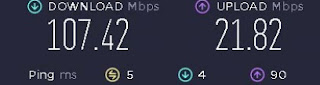
Ok, here's what I've got to help run my dedicated servers. The Hardware I have a PC/Server at home that I use for running Plex and also occasionally game servers.  Its not the best server, but I'll give you the specs for it now: CPU: Intel Pentium G4560 - LGA1151 MBoard: GIGABYTE B150M-D3H-CF - Intel B150 Graphics: Onboard - Intel HD Graphics 610 RAM: 16 GB DDR 4 - 2666 Drives: 1x 120gb M2 (Windows)             1x 512 GB (Dedicated Servers)             3 x 4 TB (Movies, TV Shows)             1x 3TB (Old Movies) OS: Windows 10 Network: Ethernet to Router (Fiber link... It's kinda fast) So as you can see, its not much of a server machine, but its good enough. This machine is setup and running in my spare room at home. It's just hooked up to power and network.. that's its. The Software I have Windows 10 installed, but have disabled most ...